Tweaking Tool vs Windows Repair Toolbox
- Tweaking Tool (Windows Repair) is best for deep system repair and fixing Windows errors automatically
- Windows Repair Toolbox (WRT) is best for advanced diagnostics, malware removal, and professional use
👉 If you want automation → choose Tweaking Tool
👉 If you want full control → choose Windows Repair Toolbox
Why This Comparison Matters
If your computer is slow, infected, or constantly crashing, you’ve probably searched for tools to fix Windows without reinstalling the system. Two of the most popular options that keep appearing are Tweaking Tool (Windows Repair) and Windows Repair Toolbox (WRT).
At first glance, they might seem similar but in reality, they serve very different purposes.
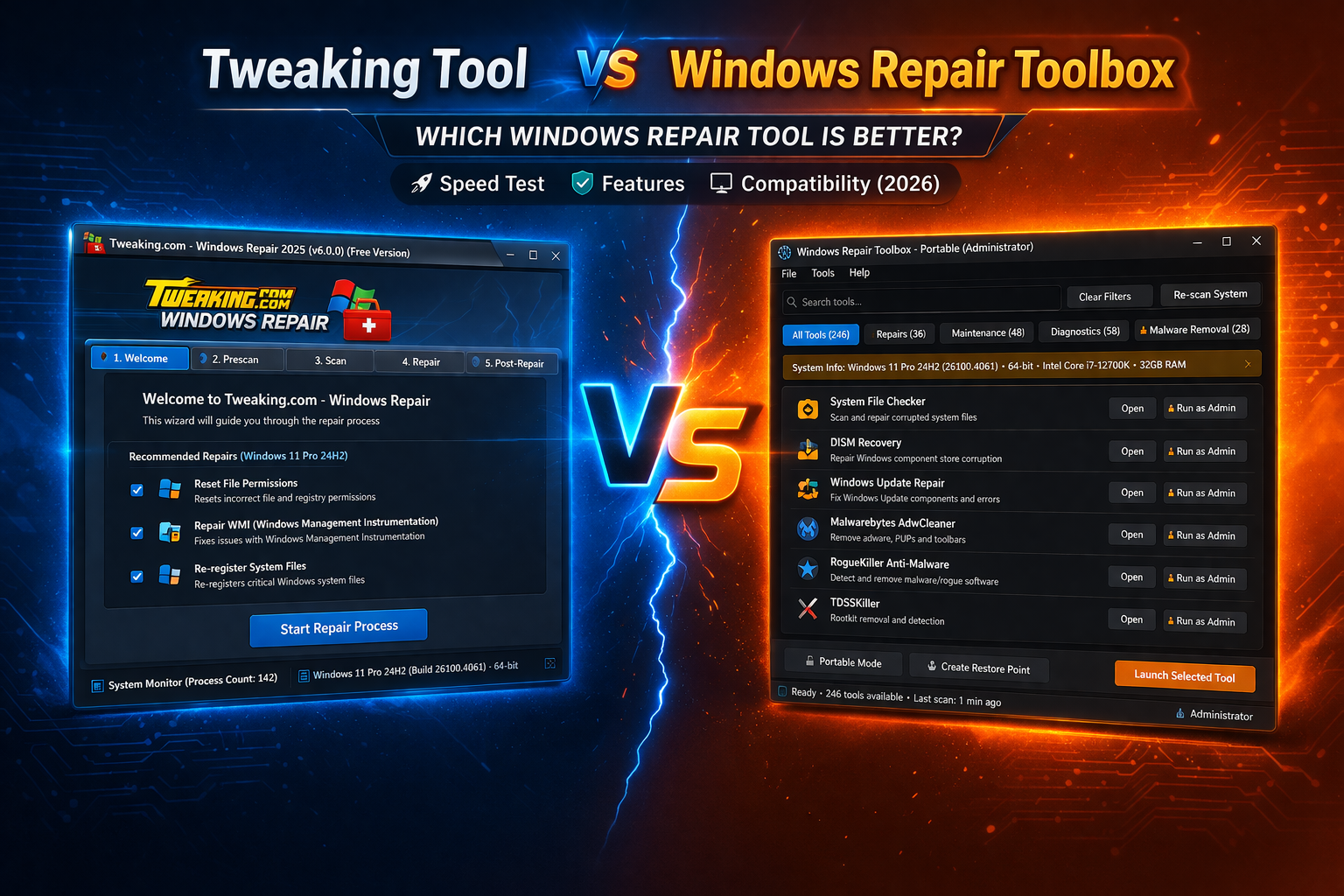
Choosing the wrong one can lead to wasted time, incomplete repairs, or even worse system instability. That’s why understanding the real differences between Tweaking Tool vs Windows Repair Toolbox is essential in 2026, especially with more complex Windows 11 environments. In this article, we will explore the benefits of each option to help you decide which is the best for your needs, including a clear comparison of the Tweaking Tool vs Windows Repair Toolbox.
When considering the most effective tool for your Windows repair needs, the debate often centers around the Tweaking Tool vs Windows Repair Toolbox, both of which offer unique features suited for different types of repairs.
What Is Tweaking Tool (Windows Repair)?
Tweaking Tool, commonly known as Windows Repair by Tweaking.com, is a powerful all-in-one repair utility designed to fix common Windows problems automatically.
It focuses on repairing:
- Registry errors
- File permissions
- Windows Update issues
- Firewall and network problems
- System file corruption
The tool is especially popular among users who want a simple, guided repair process without needing deep technical knowledge.
👉 Think of it as a “repair button” for Windows.
What Is Windows Repair Toolbox (WRT)?
Windows Repair Toolbox is not a repair tool in the traditional sense—it’s more like a control center for dozens of professional utilities.
Instead of fixing problems directly, WRT allows you to:
- Download and run specialized tools
- Perform malware removal
- Analyze hardware
- Monitor system performance
- Diagnose advanced issues
It’s widely used by technicians because it provides flexibility and precision.
👉 Think of it as a “toolbox for experts” rather than a single solution.
Tweaking Tool vs Windows Repair Toolbox: Key Differences
1. Ease of Use
Tweaking Tool:
- Beginner-friendly interface
- Step by step repair process
- Automated fixes
WRT:
- Requires technical knowledge
- Multiple tools and options
- No single “repair button”
👉 Winner: Tweaking Tool (for beginners)
2. Repair Capabilities
Tweaking Tool:
- Focused on repairing Windows system issues
- Includes predefined repair scripts
- Great for fixing broken services and permissions
WRT:
- Depends on external tools
- Can fix almost anything but manually
- More powerful but less direct
👉 Winner: Tie (depends on use case)
3. Malware Removal
Tweaking Tool:
- Limited malware detection
- Not designed as a primary antivirus solution
WRT:
- Integrates tools like:
- Malware scanners
- Adware cleaners
- Rootkit detection tools
👉 Winner: Windows Repair Toolbox
4. Performance Optimization
Tweaking Tool:
- Fixes system level issues
- Improves stability
WRT:
- Includes optimization tools
- Allows deeper performance tuning
👉 Winner: Windows Repair Toolbox
5. Automation vs Control
This is the most important difference.
Tweaking Tool:
- Fully automated repair process
- Minimal user input required
WRT:
- Full manual control
- Custom workflows
👉 Winner:
- Automation → Tweaking Tool
- Flexibility → WRT
When Should You Use Tweaking Tool?
Tweaking Tool is ideal when:
- Your system is corrupted
- Windows Update is broken
- Permissions are messed up
- You want a fast, automatic fix
It’s especially useful for:
- Home users
- Beginners
- Quick repairs
👉 If you don’t want to think too much this is your tool.
When Should You Use Windows Repair Toolbox?
Windows Repair Toolbox is better when:
- You’re dealing with malware infections
- You need advanced diagnostics
- You want multiple tools in one place
- You’re repairing multiple PCs
It’s perfect for:
- IT technicians
- Advanced users
- Repair businesses
👉 If you want precision and control this is the better option.
Performance Comparison (Real World Use)
In real scenarios, both tools behave differently.
Tweaking Tool tends to:
- Run slower during repairs
- Use more system resources
- Execute deep system fixes
WRT tends to:
- Be lightweight
- Depend on selected tools
- Perform faster diagnostics
👉 In terms of speed and flexibility, WRT has the advantage.
Portable and USB Usage
Tweaking Tool:
- Portable version available
- Can run from USB
- Limited flexibility
WRT:
- Fully portable
- Ideal for bootable USB toolkits
- Works perfectly with WinPE
👉 Winner: Windows Repair Toolbox
Safety and Risks
Both tools are safe when used correctly but they operate at a deep system level.
Tweaking Tool Risks:
- Over repairing system settings
- Potential misconfiguration if used incorrectly
WRT Risks:
- Using the wrong tool
- Misdiagnosing issues
👉 Recommendation:
- Always create a restore point
- Backup important data
Final Verdict: Which One Is Better?
There is no absolute winner it depends on your needs.
Choose Tweaking Tool if you want:
✔ Automatic repair
✔ Simple interface
✔ Quick fixes
Choose Windows Repair Toolbox if you want:
✔ Advanced diagnostics
✔ Malware removal
✔ Full control and flexibility
Best Strategy (Pro Tip)
Here’s what most professionals do:
👉 Use BOTH tools together
- Start with Tweaking Tool for system repair
- Use WRT for diagnostics and cleanup
💡 This combination gives you the best of both worlds.
FAQ
Is Tweaking Tool better than Windows Repair Toolbox?
Not necessarily. Tweaking Tool is better for automation, while WRT is better for advanced users.
Can both tools fix Windows without reinstalling?
Yes, both can repair Windows without formatting the system.
Which tool is better for malware removal?
Windows Repair Toolbox is significantly better due to its integrated tools.
Are these tools free?
Both offer free versions, with optional paid features.