Windows Repair Toolbox in Spanish
Windows Repair Toolbox is not officially available in Spanish, but you can still use it in Spanish by:
- Using Windows language settings
- Translating the interface manually
- Running tools inside WRT that support Spanish
- Using browser translation or external tools
👉 Most repair tools inside WRT already support Spanish individually.
Is Windows Repair Toolbox Available in Spanish?
Many users search for “Windows Repair Toolbox en español” expecting a fully translated version of the software. However, the reality is a bit different.
Windows Repair Toolbox (WRT) is primarily developed in English and does not currently offer an official Spanish language version of its interface. This can be confusing at first, especially for users who prefer working in Spanish or are not comfortable navigating technical tools in English.
That said, this does not mean you cannot use WRT effectively in Spanish. In fact, with a few adjustments and workarounds, you can create a fully functional Spanish-friendly environment for system repair and diagnostics.
Why WRT Is Still Useful for Spanish Speaking Users
Even though the main interface is in English, most of the tools inside Windows Repair Toolbox are developed by different vendors. Many of these tools:
- Already include Spanish language support
- Automatically adapt to your Windows language
- Display results and reports in Spanish
This means that once you launch individual utilities (like malware scanners or hardware diagnostics), the experience becomes much more accessible.
👉 In practice, only the main dashboard remains in English.
How to Use Windows Repair Toolbox in Spanish (Step-by-Step)
If you’re looking to use Windows Repair Toolbox in Spanish, here are the best methods to achieve it.
1. Change Windows Language to Spanish
The easiest way to improve compatibility is to configure your operating system:
- Go to Settings → Time & Language → Language
- Select Spanish (Español) as your display language
- Restart your system
Many tools inside WRT will automatically detect this and switch to Spanish.
2. Use Built-in Translation Tools
Since WRT itself doesn’t include a translation feature, you can rely on:
- Screen translation apps
- OCR-based translators
- Browser-based translation (for documentation)
This is especially useful for beginners who want to understand menus and options more easily.
3. Focus on Tools That Support Spanish
Some of the most commonly used tools inside WRT already support Spanish, including:
- Malware removal tools
- Disk analysis utilities
- System information software
👉 These tools will often display their interface in Spanish automatically if your system language is set correctly.
4. Create a Personalized “Spanish-Friendly” Toolkit
Advanced users can go a step further and customize their setup:
- Pre-download tools in Spanish
- Organize folders with clear names
- Add notes or instructions in Spanish
- Use scripts for automated tasks
💡 This is ideal for technicians working with Spanish-speaking clients.
Can You Download Windows Repair Toolbox in Spanish?
Currently, there is no official Spanish download version of Windows Repair Toolbox.
Be careful with websites claiming:
- “WRT full Spanish version”
- “Windows Repair Toolbox traducido descarga”
⚠️ These may contain modified or unsafe versions of the software.
👉 Always download WRT from official or trusted sources.
Compatibility with Spanish Windows Systems
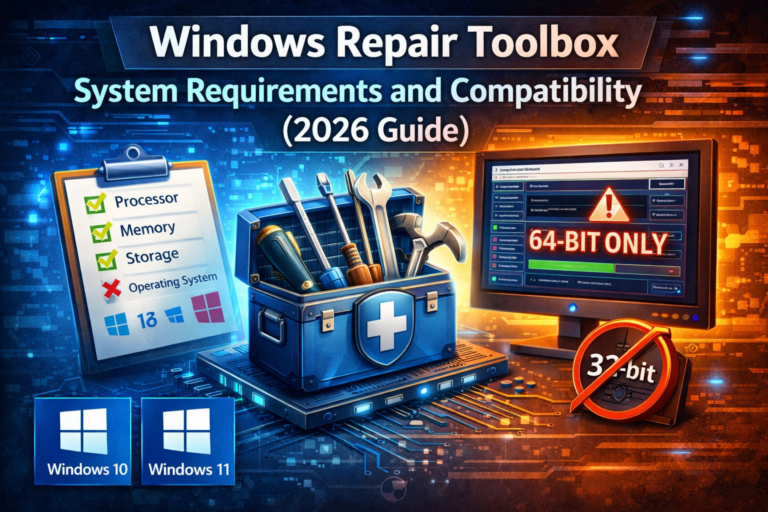
Windows Repair Toolbox works perfectly on:
- Windows 10 (Spanish editions)
- Windows 11 (Spanish editions)
- Older systems like Windows 7 (with proper setup)
Even if your OS is in Spanish, WRT will still run without issues.
Pro Tips for Spanish Users
If you plan to use WRT frequently, these tips will improve your workflow:
- Learn basic technical terms in English (it helps a lot)
- Use screenshots with translations for repeated tasks
- Keep your tools updated for better compatibility
- Combine WRT with a bootable USB toolkit
💡 With time, the language barrier becomes almost irrelevant.
Final Verdict: Is It Worth Using WRT in Spanish?
Absolutely.
Even without a fully translated interface, Windows Repair Toolbox remains one of the most powerful tools available for repairing Windows systems.
👉 With minor adjustments, Spanish-speaking users can:
- Diagnose system issues
- Remove malware
- Optimize performance
- Repair Windows without reinstalling
And all of this without needing advanced English skills.
FAQ
Is Windows Repair Toolbox available in Spanish?
No, the interface is only available in English, but many tools inside support Spanish.
Can I translate Windows Repair Toolbox?
Not officially, but you can use system language settings and external translation tools.
Does WRT work on Spanish Windows?
Yes, it works perfectly on Spanish versions of Windows 10 and 11.
Is there a Spanish alternative to WRT?
There are alternatives, but most professional repair tools are also primarily in English.